
Documentation
Image Displace
VFX Loom 1.0 reference for the Image Displace node.
Transform
transform.displace 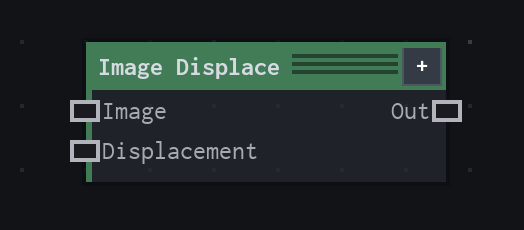
Overview
Offsets source sampling with another image.
Uses red/green displacement channels and shared image sampling. With no displacement map, zero strength, or zero influences, matching-resolution output is identity.
- Category
- Transform
- Internal ID
transform.displace- Version
- VFX Loom 1.0
Inputs
| Input | Type | Required | Default | Meaning |
|---|---|---|---|---|
| image | Image | Required | — | See the overview for the node's documented behavior. |
| displacement | Image | Optional | — | red and green channels drive X and Y offsets |
Properties
| Property | Type | Default | Animatable | Range / options | Effect |
|---|---|---|---|---|---|
| Strength | Scalar | .1 | Yes | Hard -1..1 · UI range: soft | Animatable control; changing it over time varies the node response. |
| X Influence | Scalar | 1 | Yes | Hard -1..1 · UI range: soft | Animatable control; changing it over time varies the node response. |
| Y Influence | Scalar | 1 | Yes | Hard -1..1 · UI range: soft | Animatable control; changing it over time varies the node response. |
| Sampling | Enum | Bilinear | Not declared | Nearest · Bilinear | Selects the sampling behavior; each option changes the operation described in the overview. |
Outputs
| Output | Type | Meaning |
|---|---|---|
| out | Image | The production node output described by the overview. |
Usage
In practice
- Use Image Displace when the graph needs Offsets source sampling with another image.
- Uses red/green displacement channels and shared image sampling. With no displacement map, zero strength, or zero influences, matching-resolution output is identity.
- Use it where the graph needs coordinate or image-space movement; keep sampling and edge policy aligned with the source artwork.
Notes / limitations
- No step is declared for Strength, X Influence, or Y Influence.