
Documentation
Normal From Height
VFX Loom 1.0 reference for the Normal From Height node.
Filters
processing.normalFromHeight 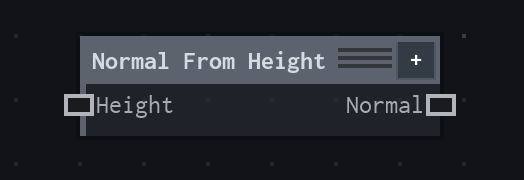
Overview
Converts a height image into an encoded tangent-space normal image for downstream lighting or surface-detail workflows.
Central-difference normal generation; flat normal is (.5,.5,1) and height alpha is preserved.
- Category
- Filters
- Internal ID
processing.normalFromHeight- Version
- VFX Loom 1.0
Inputs
| Input | Type | Required | Default | Meaning |
|---|---|---|---|---|
| height | Image | Required | — | The image whose selected channel is interpreted as height. |
Properties
| Property | Type | Default | Animatable | Range / options | Effect |
|---|---|---|---|---|---|
| Strength | Scalar | 1 | Yes | Hard 0..8 · UI range: soft | Scales the slope of the generated normal; higher values make relief appear steeper. |
| Distance | Scalar | 1 | Yes | Hard .25..8 · UI range: soft · Step .25 | Sets the sample separation used by the central difference; larger values broaden the height comparison. |
| Source Channel | Enum | Luminance | Not declared | Luminance · Alpha · Red · Green · Blue | Chooses Luminance, Alpha, Red, Green, or Blue as the height signal. |
| Invert X | Bool | false | Not declared | — | Flips the generated normal's X direction. |
| Invert Y | Bool | false | Not declared | — | Flips the generated normal's Y direction. |
| Edges | Enum | Clamp | Not declared | Clamp · Repeat · Mirror · Black | Chooses how neighbouring height samples are read beyond the image boundary. |
Outputs
| Output | Type | Meaning |
|---|---|---|
| normal | Image | The production node output described by the overview. |
Usage
In practice
- Feed a grayscale height field into Height. Choose Source Channel deliberately when the height signal is carried by alpha or a specific colour channel.
- Increase Strength for steeper apparent relief; increase Distance to compare samples farther apart. Use Invert X or Invert Y when the normal convention of the consuming material is reversed.
- Choose Repeat for seamless tiled height maps, Clamp for ordinary bounded images, or Mirror when reflected edge sampling is preferable.
Worked example: Noise → Normal From Height
Turn procedural grayscale structure into a tangent-space normal map that can drive a later material or lighting stage.
- Connect Noise or another height image to Height and select the channel carrying the relief.
- Start with Strength 1 and Distance 1. Increase Strength for stronger relief before changing the source texture itself.
- Use Repeat for a tileable source and verify the X/Y convention against the node that consumes the normal image.
Notes / limitations
- A flat height field produces the encoded flat normal (.5, .5, 1); the height alpha is preserved in the output.
- Strength has a hard range but no declared step; Distance has a hard range and a declared step of .25.